Add a Bundle
A Bundle is a group of 2 or 3 Workflows that are dependent on each other for diagnosis, procedures, and times. The most commonly bundled areas are Intra-op, PACU, and Anesthesia.
In HST eChart, the action for adding a Bundle is called "Return to OR," as the most common reason for adding a new Bundle to a chart is a return to the operating room. Bundles can also be added for other reasons too, such as needing to change Workflows due to a change in the scheduled procedure.
Note: No matter the reason for adding a Bundle, "Return to OR" is used to add Bundles.
To Add a Bundle
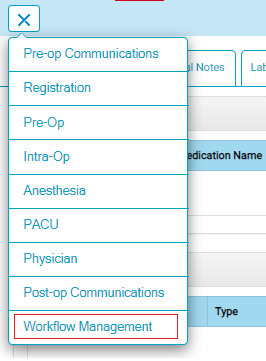
- Tap the menu button from the Chart Home screen.
- Tap Workflow Management.
- A flyout will display a list of all chart areas and the workflows currently present.
- Select the "Return to OR" option. This will show the list of available Bundles.
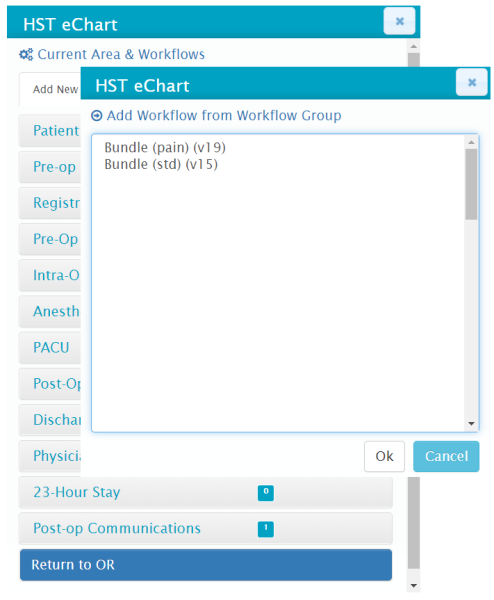
- Select the desired bundle and tap the Ok button.
- The Chart Home page will now reload.
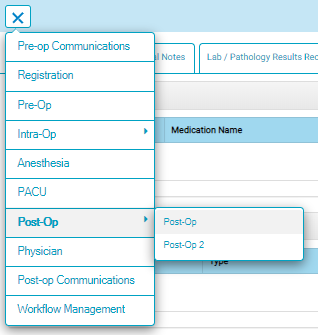
- The Areas with more than one Workflow will have an arrow to the right. Tap or hover over the area to see the individual workflows.
- Tap on an Area or select the Workflow to enter.